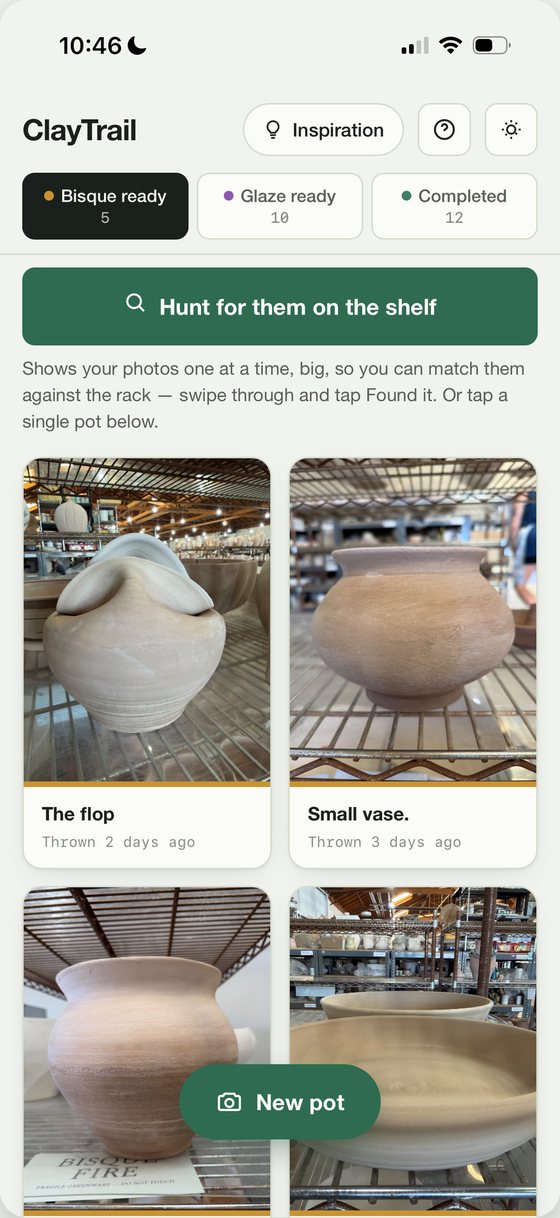
01 — BISQUE READY
Photograph it before you hand it in
Take the picture, tap the clay body from a list, write down how it was thrown or built. Each card shows how long that piece has been waiting, so nothing gets forgotten.
 ClayTrail
How it works
A pottery log for shared studios
At a shared studio every member's work goes on the same bisque shelves — all unglazed, all the same pale colour, none of them labelled. ClayTrail is how you find yours again, and how you remember what you did to it.
The problem
The bowl you were pleased with looks, from four feet away, exactly like eleven other bowls.
You throw six pieces on a Tuesday. They go on the communal greenware shelf to dry, someone loads them into the bisque kiln with everyone else's, and a week later they come out onto a rack holding two hundred pots.
None of them have names on them. People take the wrong work home. People leave their own work on the shelf for months because they walked past it without recognising it.
The fix turns out to be simple: take a photograph before you hand it in.
How it works
Every piece moves through the same three tabs, in the order a pot actually travels. There is nothing else to learn.
Take the picture, tap the clay body from a list, write down how it was thrown or built. Each card shows how long that piece has been waiting, so nothing gets forgotten.
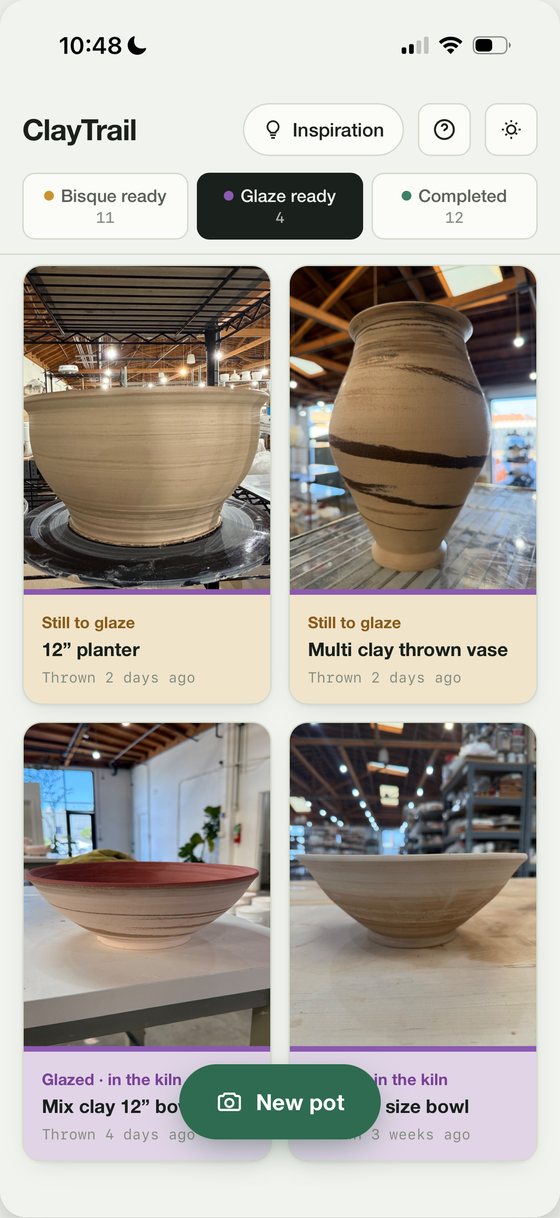
Two separate boxes, because the inside and the outside are rarely the same. Mark a piece glazed and its card turns violet, so the ones still waiting on you stay at the top.
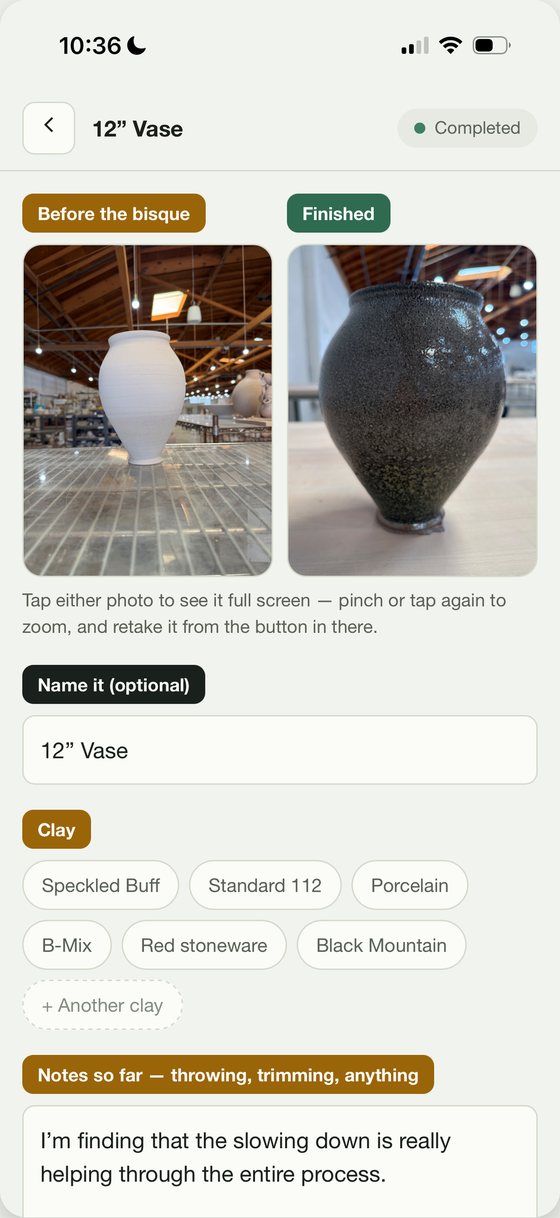
Photograph the finished piece. Both photos sit side by side with every note you took — and one button turns the whole record into a single image you can send to anyone.
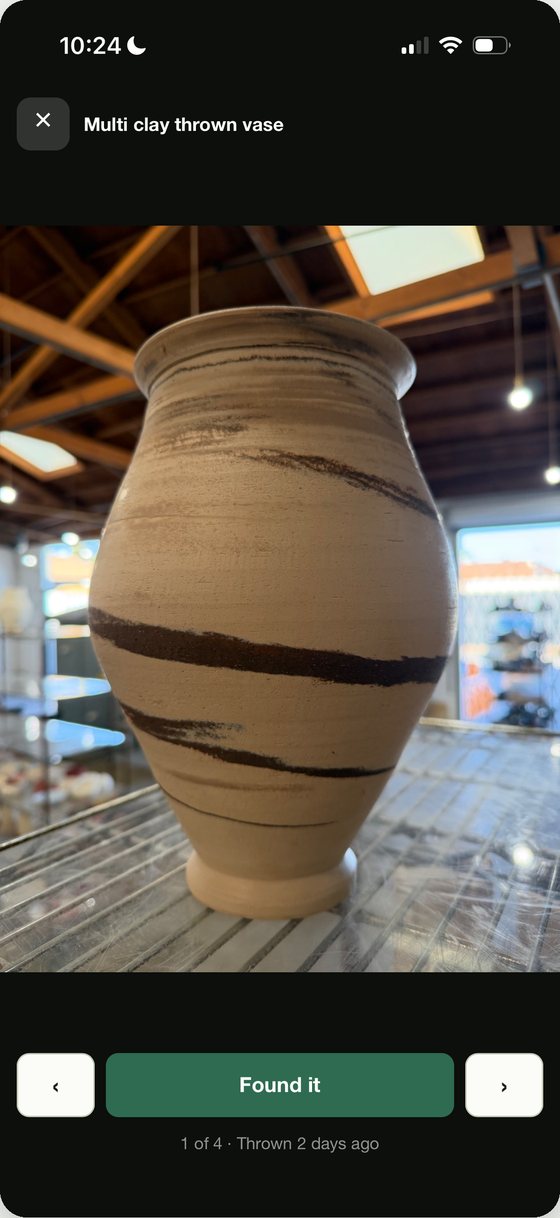
The part that does the work
Tap Hunt for them on the shelf and your own photographs come up one at a time, full screen, big enough to hold the phone up beside the real thing.
Swipe through. When you spot one, tap Found it and it moves straight to Glaze ready. Work through until the list is empty and you know you have everything — no counting, no trying to remember what you made three weeks ago.
Also in there
Privacy
No account. No sign-up. No servers.
Every photograph and every note lives on your phone and nowhere else. Nothing is uploaded, nothing is analysed, and there is no database anywhere with your pots in it — which is also why the app works perfectly with no signal.
The trade is that deleting the app deletes the book, so there's a backup button under the ? menu. Use it now and then.
$1.99 a month, and the first month is free. If you don't keep using it, cancel in the App Store — the pieces you've already logged stay readable.
Support
Write to me directly and I'll answer. ClayTrail is made by one person who throws at a shared studio and got tired of not finding his own work.